Remove Extra Spaces Online Tool
Instantly remove extra spaces, double spaces, and unwanted whitespace from text online for free. Clean your content, JSON, or code in seconds with our powerful whitespace remover tool. No signup required!
Our Other Related Tool
Remove Extra Spaces Online Tool – Clean Text Instantly & Improve Readability
Extra spaces in text may look like a small issue, but they often create big problems. Whether you are writing an article, preparing content for SEO, cleaning copied text, or formatting messages for WhatsApp, unnecessary spaces can make your text look unprofessional and messy. This is where a Remove Extra Spaces Online Tool becomes extremely useful.
This tool is designed to help you clean text instantly by removing double spaces, extra whitespace, blank lines, and unwanted gaps — all in one place, without any signup or technical knowledge.
What Does “Remove Extra Spaces” Mean?
Removing extra spaces simply means fixing text where:
- Multiple spaces appear between words
- Blank lines are repeated unnecessarily
- Tabs or invisible whitespace break formatting
- Leading and trailing spaces make text look uneven
The meaning stays the same, but the text becomes clean, readable, and ready to use.
Why Cleaning Extra Spaces Is Important
Many people copy text from PDFs, websites, AI tools, chats, or documents. During this process, unwanted spaces and blank lines are added automatically. If not cleaned, they can cause issues in many places.
Here’s why removing extra spaces matters:
- Improve text readability
- Makes content look professional
- SEO friendly content formatting
- Prevents errors in code and JSON
- Keeps WhatsApp and social messages neat
Clean text always creates a better impression.
How This Remove Extra Spaces Tool Works
The tool is simple and beginner-friendly. You don’t need to learn anything new.
Steps to use the tool:
- Paste your text into the input box
- Select the cleaning options you need
- Click the Clean button (or enable Auto Clean)
- Instantly get clean text in the preview section
- Copy, download, or share the cleaned text
Everything happens directly in your browser.
Smart Cleaning Options Explained
This tool gives you more control compared to basic whitespace removers.
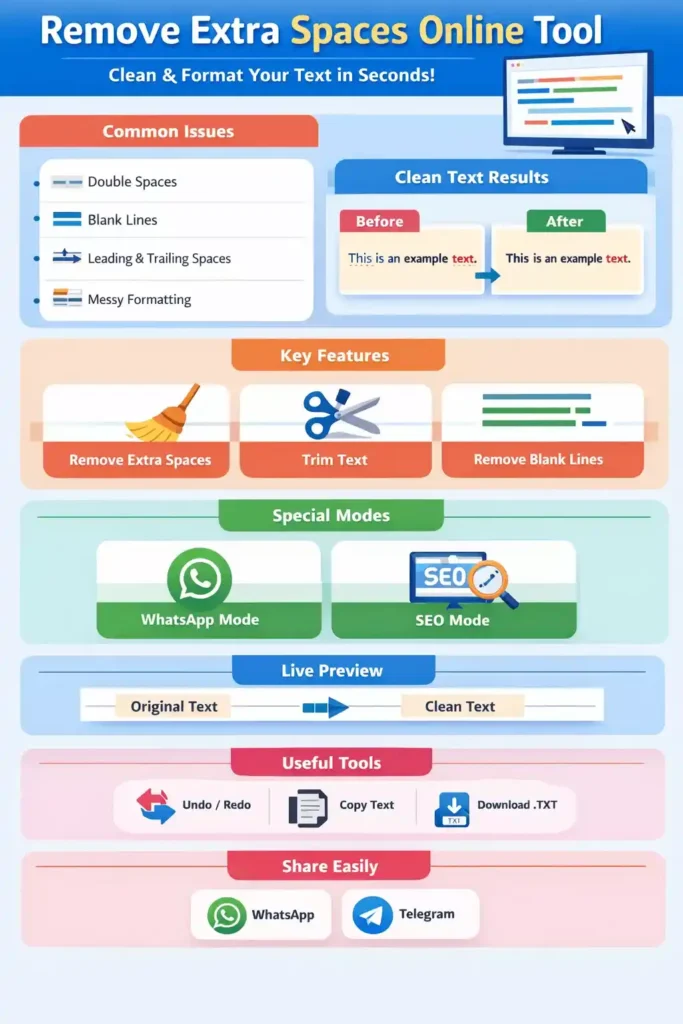
Live Preview: Original vs Clean Text
One of the strongest features of this tool is the side-by-side preview.
- Left side shows your Original Text
- Right side shows the Clean Text
This helps you clearly see what changed and ensures nothing important was removed accidentally.
Real-Time Word, Character & Line Counter
As you clean your text, the tool automatically shows:
- Total words
- Total characters
- Total lines
This is especially useful for writers, students, SEO professionals, and anyone working with word limits.
Undo, Redo & Download Support
Mistakes happen, and this tool is prepared for that.
- Undo / Redo lets you move between changes safely
- Download allows you to save the cleaned text as a
.txtfile - Copy button copies text instantly
These features make long text editing stress-free.
Social Sharing Made Easy
After cleaning your text, you can directly share it on:
- Telegram
No need to copy-paste manually every time.
Who Can Use This Tool?
This Remove Extra Spaces Tool is useful for:
- Students cleaning assignments and notes
- Content writers & bloggers formatting articles
- SEO professionals optimizing text
- Developers cleaning code, JSON, or logs
- Office users editing emails and documents
Anyone who works with text will find it helpful.
Is This Tool Free and Safe?
Yes. This tool is:
- 100% free to use
- No registration required
- Works fully in your browser
- Does not store or upload your text
Your data stays private.
Final Words
A clean text format makes a huge difference in how content is read and understood. This Remove Extra Spaces Online Tool is built to save time, reduce frustration, and deliver clean, professional-looking text in seconds.
If you often deal with messy text, copied content, or formatting issues, this tool will quickly become part of your daily workflow. Paste your text, clean it once, and use it anywhere with confidence.