Free Online Text Case Converter Tool
Free Online Text Case Converter to easily change text case. Convert uppercase to lowercase, title case, sentence case & more.
Our Other Related Tool
Text Case Converter Tool – Convert Uppercase, Lowercase & Sentence Case Online
A Text Case Converter Tool helps you change the formatting of your text in just one click. Whether you want to convert text to UPPERCASE, lowercase, Sentence Case, or Capitalize Each Word, this online tool makes the process fast, simple, and error-free.
Instead of rewriting text again and again, you can paste your content into the tool, choose the required case style, and get instant results. This is especially useful for writers, students, bloggers, SEO professionals, developers, and anyone who works with text daily.
What Is a Text Case Converter?
A text case converter is an online utility that changes the letter case of your text without altering its meaning or content. It only adjusts how letters appear, capital or small, so your content looks clean, readable, and consistent.
For example:
- Turning ALL CAPS text into readable lowercase
- Fixing sentences typed with Caps Lock on
- Formatting headings and titles properly
- Cleaning copied text from PDFs, emails, or websites
Our tool is browser-based, which means you don’t need to install anything or create an account.
Why Use an Online Case Converter Tool?
Manually changing text case can be time-consuming and frustrating, especially for long paragraphs or documents. An online case converter solves this problem instantly.
Key reasons to use this tool:
- Saves time and effort
- Reduces typing mistakes
- Works instantly on any device
- Completely free to use
- No signup or login required
With just one click, your text is converted exactly the way you need it.
Available Case Conversion Options
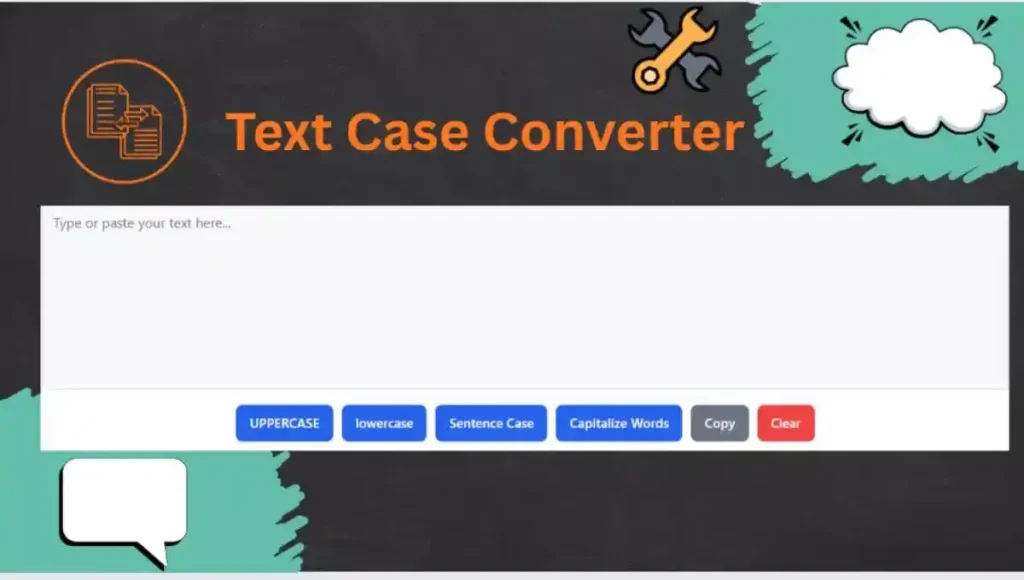
Our Text Case Converter Tool supports the most commonly used case formats. Each option is designed for real-world writing and editing needs.
1. Uppercase
This option converts all letters into capital letters.
Example:hello world → HELLO WORLD
Uppercase is often used for headings, warnings, or emphasis.
2. Lowercase
This converts all letters into small letters.
Example:HELLO WORLD → hello world
Lowercase is useful when cleaning text copied from sources that overuse capital letters.
3. Sentence Case
Sentence case formats your text so that each sentence starts with a capital letter, while the rest remains lowercase.
Example:this is a test. this is another line. →This is a test. This is another line.
This is ideal for articles, blogs, emails, and formal writing.
4. Capitalize Each Word
This option capitalizes the first letter of every word.
Example:welcome to my website → Welcome To My Website
It is commonly used for titles, headings, and names.
How to Use This Text Case Converter Tool
Using the tool is very simple and beginner-friendly.
- Type or paste your text into the input box
- Click the button for the case you want (Uppercase, Lowercase, Sentence Case, or Capitalize Words)
- The text will be converted instantly
- Click Copy to copy the result or Clear to start again
No technical knowledge is required.
Who Can Benefit From This Tool?
This tool is designed for a wide range of users:
- Students – Format assignments and notes easily
- Writers & Bloggers – Fix capitalization issues quickly
- SEO Professionals – Optimize titles, meta descriptions, and content
- Developers – Clean and format text snippets
- Office Workers – Edit emails, documents, and reports
Anyone who works with text can save time using this tool.
Benefits of Using Our Text Case Converter
- Fast & Lightweight – Works instantly without loading delays
- Clean Interface – Simple design with no distractions
- Mobile Friendly – Use it on phone, tablet, or desktop
- Accurate Results – Smart sentence and word detection
- Privacy Safe – Your text is not stored or shared
The tool focuses on usability and clarity, so you get results without confusion.
When Should You Use a Case Converter?
You may find this tool helpful in many daily situations, such as:
- Text typed accidentally in all caps
- Formatting blog headings and titles
- Cleaning copied content from emails or PDFs
- Making content more readable and professional
- Preparing text for social media or websites
Instead of editing manually, the tool does it instantly.
Is This Tool Free to Use?
Yes. This Text Case Converter Tool is 100% free.
There are:
- No hidden charges
- No usage limits
- No sign-ups
You can use it as many times as you want.
Final Thoughts
A reliable Text Case Converter Tool is an essential utility for anyone who works with text regularly. It improves readability, saves time, and helps maintain proper formatting across documents, blogs, and digital content.
If you are looking for a fast, simple, and easy-to-use solution to convert text into uppercase, lowercase, sentence case, or capitalized words, this tool is made for you. Paste your text, choose the format, and get clean results instantly.
Try Text Case Converter now and make text formatting effortless.